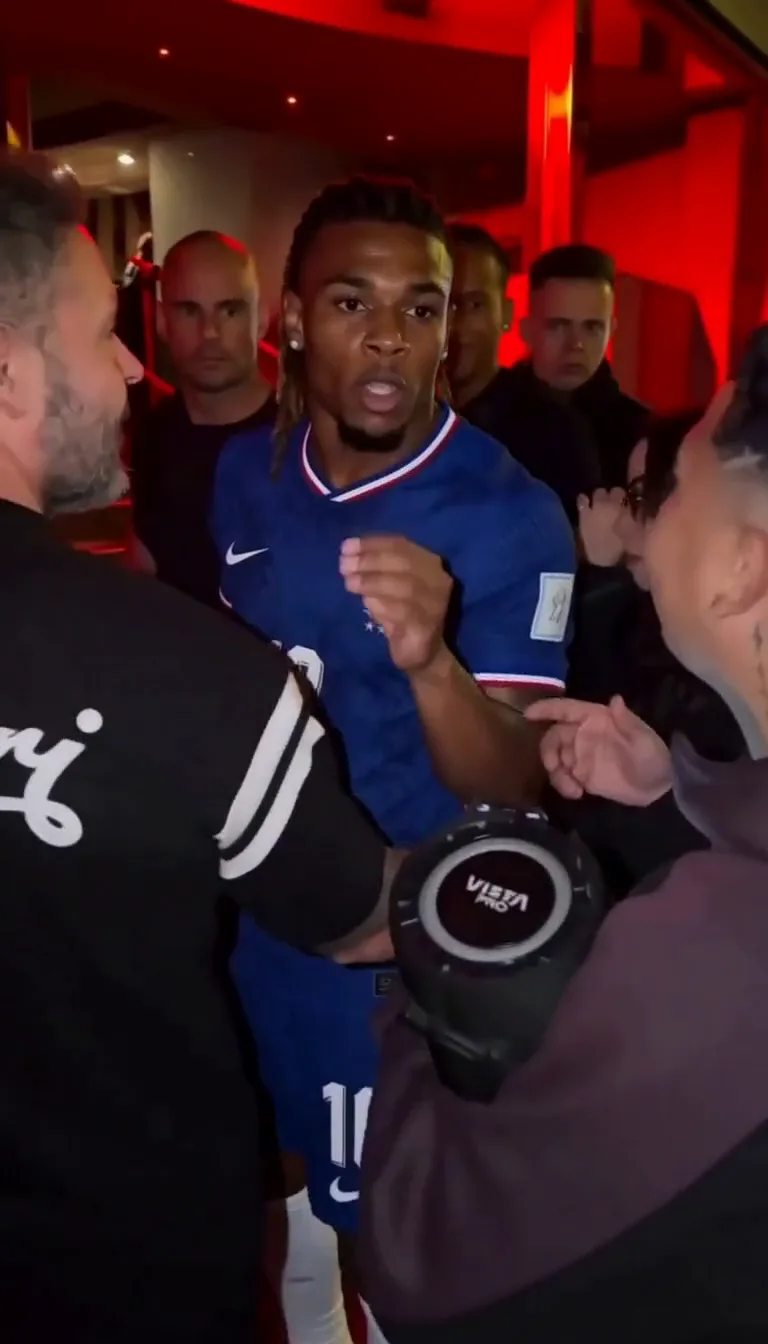
To make the Bulin 47 AI video, upload one clear photo of yourself on our Bulin 47 AI video generator, press Generate, and download the result. The AI recreates the moves of the original freestyle with the person from your photo, as an 8-second vertical video. You don't need a prompt, an editing app or the original clip. Watch a sample video on the generator page; every result depends on the photo you upload, so yours will look different.
What is the Bulin 47 AI video?
The Bulin 47 AI video is a social media trend in which people use AI to put their own face into a viral street freestyle by Bulin 47, the Dominican urban music artist. The AI recreates the moves, the setting and the energy of the original clip, with the person from the uploaded photo in Bulin 47's place.
The original clip. In early October 2026, Bulin 47 was about to enter a restaurant in Spain when fellow artist Kevin Wai (sometimes written Kevin Way) walked up with a portable speaker playing a dembow beat. Instead of walking past, Bulin 47 joined in with an improvised freestyle, rhyming and dancing on the street while Kevin Wai held the speaker. The clip spread quickly on TikTok and Instagram; Latination reported that it passed 50 million views.
How it became an AI trend. Creators soon began making AI edits that put famous faces, including footballers such as Kylian Mbappé, Lionel Messi and Cristiano Ronaldo, onto Bulin 47's dance moves. The trend then moved on to ordinary people recreating the freestyle with their own photos, which is what this guide covers.
What you get here. You upload one photo of yourself, and the AI recreates the freestyle scene with you in Bulin 47's place: an 8-second vertical video, with no prompt to write and nothing to edit.
Quick facts:
- Artist: Bulin 47, a Dominican urban music artist
- Also in the clip: Kevin Wai, holding the portable speaker
- Music style: dembow
- Where it spread: TikTok and Instagram, then AI edits across social media
- The AI version: your face in Bulin 47's role, with the original moves and setting recreated by AI
What you need
- One photo of yourself, or of someone who has agreed to it.
- A phone or computer with a browser. Nothing to install.
- Credits. Each video costs 10 credits. See how much it costs below.
How to make it, step by step
Step 1: Choose a good photo
The photo decides how the video looks, so pick it with care:
- One person in the frame.
- The face is clearly visible and looks toward the camera.
- Even light, with no strong shadows across the face.
- Head and upper body showing, not a tight crop of the face.
- The outfit you want to wear in the video. The clothes usually come from your photo.
JPG, PNG and WebP files up to 10 MB work.
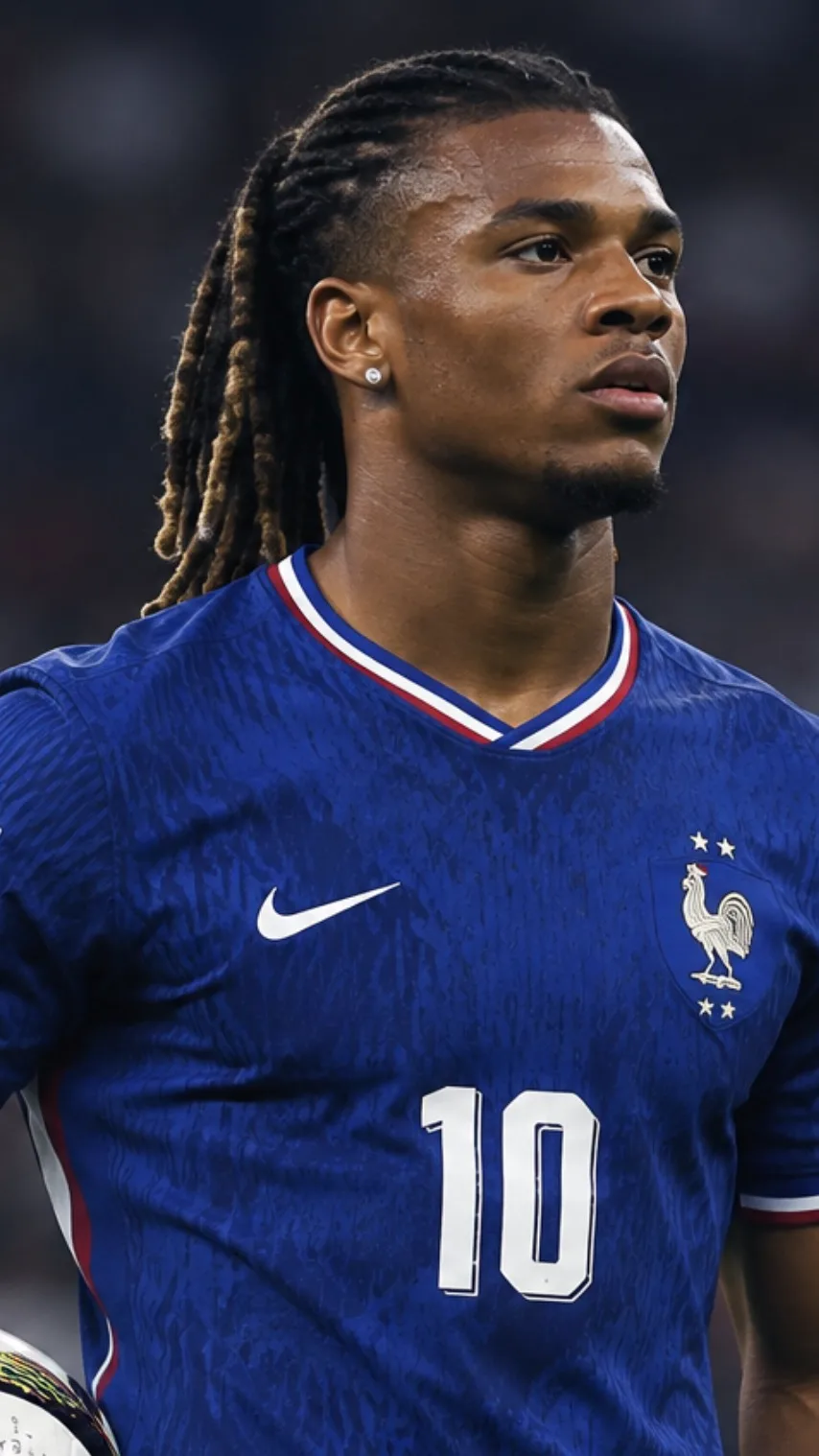
An AI-generated example photo. It was used to make our sample video.
Step 2: Upload it
Open the generator and click Upload photo, or drag the file onto the upload box. You can replace or remove it before you start.
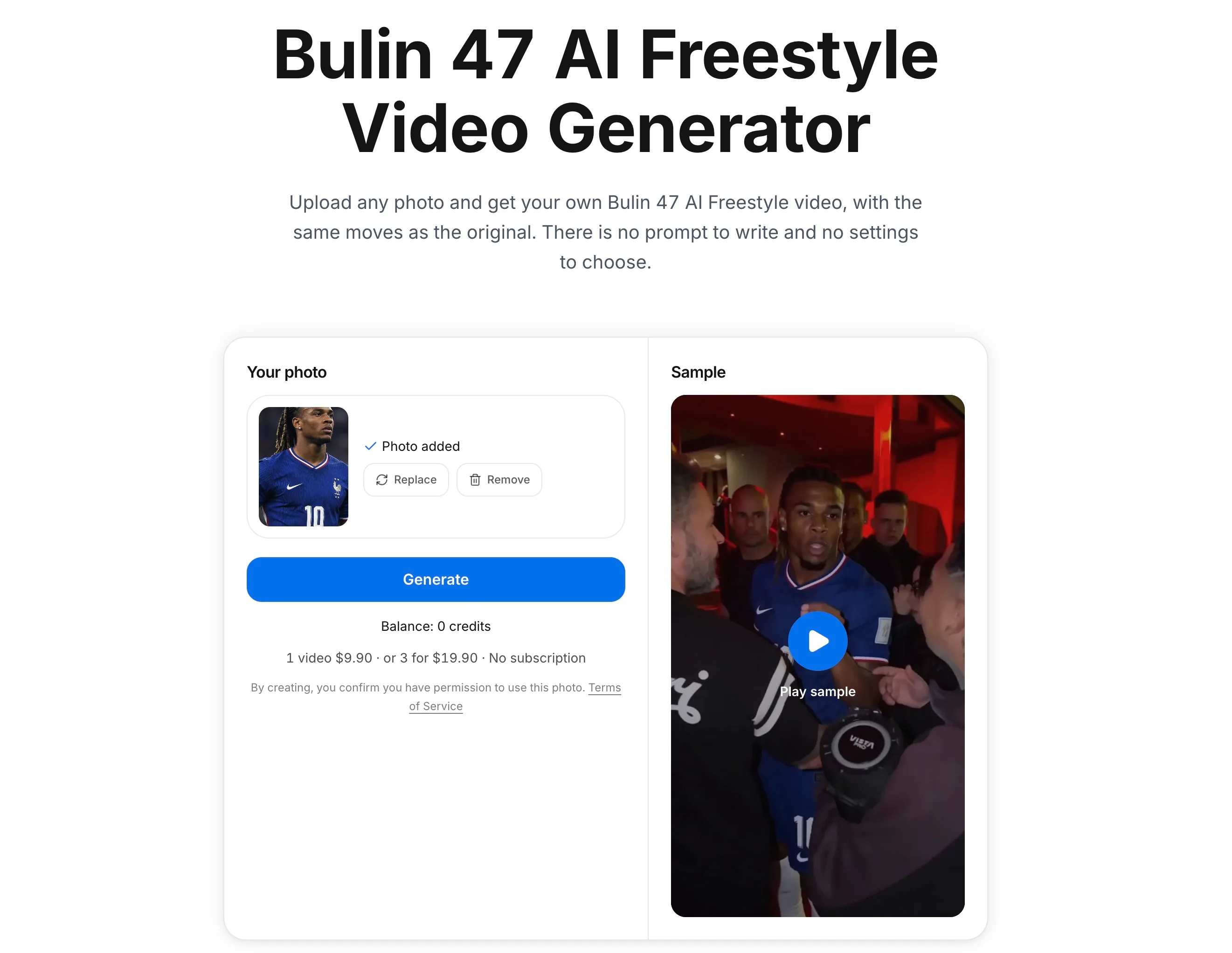
Step 3: Press Generate
Click Generate under your photo to start the video. If you haven't signed in yet, you'll do that first, and if you need credits, you can pick a pack right there. Then keep the page open until your video appears.
Step 4: Download and post
Click Download to save the MP4. There is no watermark. When you post it on TikTok, Instagram Reels or YouTube Shorts, add #bulin47 so people can find it.
Tips for a result that looks more like you
AI recreates the scene, so it never matches a real recording frame by frame. A good photo makes the biggest difference:
| Works well | Works poorly |
|---|---|
| Face toward the camera | Side profile or face turned away |
| Daylight or soft indoor light | Backlight, dark rooms, strong shadows |
| Nothing covering the face | Sunglasses, masks, hands in front of the face |
| Only you in the photo | Group photos |
| Head and shoulders, or more | Very close selfies that cut off the chin or hair |
If the result doesn't look right
- It doesn't look like you. Try a sharper, front-facing photo with even light. Different photos give noticeably different results.
- The outfit isn't what you wanted. Use a photo where you wear the outfit you want to see.
- "This photo can't be used." Some photos are blocked by the safety check. Try a different photo.
- Generation failed. Your credits are refunded automatically, and you can try again.
One photo vs. doing it by hand
| One-photo generator | By hand in general AI video tools | |
|---|---|---|
| What you provide | One photo | A photo, the original clip, and a written prompt |
| Prompt writing | None | Yes, usually several tries |
| Editing | None | Often trimming, syncing and exporting |
| Payment | One-time credit packs | Usually a subscription or credits |
| Best for | A quick result | Full creative control |
If you want to change the scene, the crowd or the movement, general tools give you more control. If you just want yourself in the freestyle, one photo is the shortest route.
How much does it cost?
| Pack | Videos | Price |
|---|---|---|
| 10 credits | 1 | $9.90 |
| 30 credits | 3 | $19.90 |
| 50 credits | 5 | $29.90 |
Every pack is a one-time payment, with no subscription. Credits never expire, and credits for a failed video are refunded automatically.
Is it okay to make one?
Use a photo of yourself, or of an adult who has agreed to it. Don't use photos of children, celebrities or other public figures, or anyone who hasn't said yes. Label the video as AI-generated when you share it. This site is an independent fan project and is not affiliated with Bulin 47 or the creators of the original video.
FAQ
How long is the Bulin 47 AI video?
It is 8 seconds long, in a vertical 9:16 format that fits TikTok, Reels and Shorts.
Is there a watermark?
No. The video you download has no watermark.
Will it look exactly like me?
Not exactly. The video is made by AI, so how closely it resembles you depends a lot on the photo. A clear, front-facing photo with even light gives the best results.
Do I need to write a prompt?
No. You only upload a photo. The scene and the moves are already set up.
Is it free?
No. Each video costs 10 credits, and packs start at $9.90. If a video fails, the credits are refunded automatically.
Can I use a friend's photo?
Yes, if your friend is an adult and has agreed to it.
Make yours
Ready to try it? Upload your photo and make your own Bulin 47 AI video.